

This GTA 6 beginner guide is built for the week before launch: what to download and when, how switching between Jason and Lucia works, how the new police system behaves, and what to know before your first heist or car theft. One honest caveat first. Nobody outside Rockstar has played the finished game, so everything here comes from Rockstar’s own videos and its hands-off press previews, and we will update this guide on launch day with what actually holds up.
GTA 6 beginner guide: before launch day
- Launch date and platforms: November 19, 2026, on PlayStation 5 and Xbox Series X|S. There is no PC version announced.
- Preloading: Rockstar says digital pre-orders can start preloading on November 12, 2026. The physical edition is a download code in the box rather than a disc, and that code is also available from November 12.
- Download size: Rockstar has not published one. Many outlets report about 210 GB on PS5, which traces to a PlayStation Store tracking account, so treat it as an estimate. A day-one patch could add to it, so clear plenty of space.
- Unlock time: not announced. Store listings carry timetables, but those have changed before, so wait for Rockstar’s own post.
- Performance: Rockstar’s co-studio head Rob Nelson confirmed a 30 FPS target on the base PS5 and Xbox Series consoles. No 60 FPS mode and no PS5 Pro mode has been confirmed.
- Camera: there is no full first-person mode at launch, though first-person aiming is there for certain weapons.
Switching between Jason and Lucia
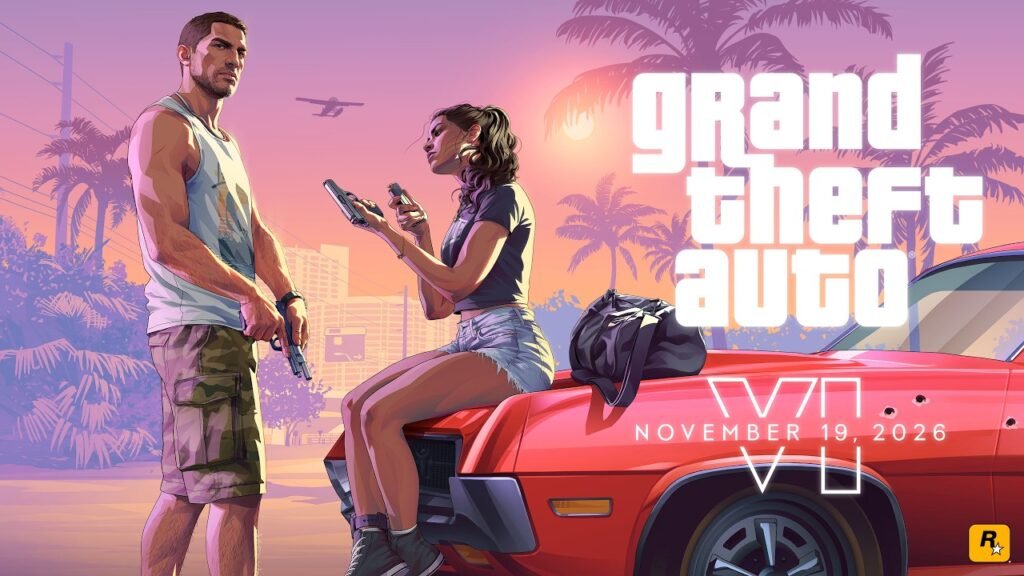
You play both leads. In the Extended Look, Rockstar showed free switching between Jason and Lucia, with missions that keep running while you swap and mid-mission texts that do not pause the action. You can also summon your partner to help. Both characters run independent schedules, so plan around who is where. The romance between them is optional, and the two can stay platonic, built up through shared activities rather than a forced storyline.
For the full scene-by-scene look at what Rockstar showed, read our GTA 6 Extended Look breakdown.
How the GTA 6 wanted system works
The wanted level goes up to six stars, one more than GTA 5. The bigger change is that police work like an investigation, not a timer. According to the press previews, they react only to crimes that are witnessed or caught on camera, and the HUD shows what they actually know about you.
- An outlined star means police have no confirmed visual description of you.
- A barber visit clears a description, and a full outfit change clears clothing identification.
- Masks beat cameras.
- Ditching a car police have identified degrades the search.
- Jason and Lucia can split up to divide police resources. One can be arrested while the other stays free.
There is also a criminal profile, but it is not a morality meter. Previews describe it as tracking how you operate: violence the mission requires does not count against you, and efficient crime improves your standing. More on this in our GTA 6 details breakdown.
Heists and robberies: the trade-offs
The previews show a simple pattern, and it is the core of any GTA 6 beginner guide: every robbery trades speed against risk.
- Safes: opening one with the combination is slower but gets you the full value. Explosives are faster but damage the contents.
- Time inside: the longer you stay in a store, the higher the chance police show up.
- Exits: most locations have a second exit, so check it before you commit.
- Selling: fences are specialised, and vehicle fences report valuable cars that are sitting in the impound.
- Duo robberies: Rockstar showed two-person store robberies where you switch between the characters mid-robbery.
Cars, phones and apps
Car theft is layered. Older cars can be opened with a slim jim, while luxury cars call for key cloning, and the tools you can use are gated by story progression. The WAINK app lets you case a car before you take it: its value, registration, locks, alarm and tracking. Stolen cars with a GPS tracker report their location automatically, and damage lowers what a fence will pay.
The phone is a physical object you raise on screen. Snapmatic returns, though the protagonists cannot post to it because they are fugitives. There is a Ryde Me rideshare app, and the world has a working in-game social feed. NPCs are individually art-directed rather than procedural, and some will notice if you are following or eavesdropping on them.
What Rockstar has not said yet
These gaps are why this GTA 6 beginner guide will change on launch day:
- The unlock time on launch day.
- The final download size and the day-one patch.
- Any 60 FPS or PS5 Pro performance mode.
- The online mode, which was absent from both the Extended Look and the previews.
- A PC version.
If you want the whole run-up, see our GTA 6 launch trailer breakdown, the editions guide, and the GTA 6 hub.
Quick answers
The short version of the GTA 6 beginner guide, in five questions.
When can I preload GTA 6? November 12, 2026 for digital pre-orders, according to Rockstar’s pre-order announcement. Physical copies include a download code that is also available from that date.
How big is GTA 6? Rockstar has not said. Many outlets report about 210 GB on PS5, which is an estimate and not confirmed.
Is GTA 6 60 FPS? Rockstar has confirmed a 30 FPS target on base consoles. A 60 FPS or PS5 Pro mode has not been announced.
Can you play GTA 6 in first person? Not fully at launch. First-person aiming is there for certain weapons.
Is GTA 6 on PC? Not at launch. No PC version has been announced.
Updated November 4, 2026. This GTA 6 beginner guide describes Rockstar’s press previews and videos, not the finished game, and we will revise it after launch. Sources: Rockstar Games pre-order announcement (Business Wire), Keen Gamer on the reported file size, and the press previews summarised in our linked posts. Trailer video: Rockstar Games.
Discover more from Lazybatman
Subscribe to get the latest posts sent to your email.